

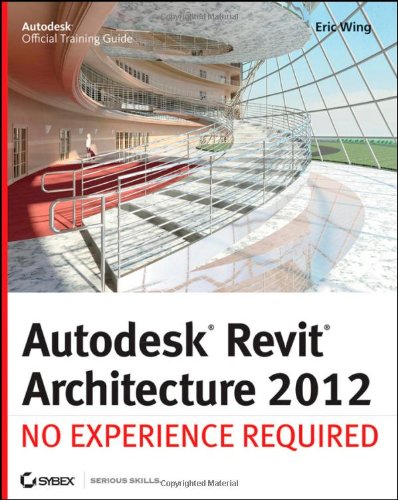
Autodesk Revit Architecture 2012 No Experience Required 1st Edition by Eric Wing ISBN 0470945060 9780470945063
Original price was: $50.00.$35.00Current price is: $35.00.
Autodesk Revit Architecture 2012 No Experience Required 1st Edition by Eric Wing – Ebook PDF Instant Download/Delivery: 0470945060, 9780470945063
Full download Autodesk Revit Architecture 2012 No Experience Required 1st Edition after payment
Product details:
ISBN 10: 0470945060
ISBN 13: 9780470945063
Author: Eric Wing
The perfect introduction to Revit Architecture, Autodesk?s building information modeling (BIM) software, this unique and highly effective guide uses a continuous, step-by-step tutorial to build your skills. You?ll first get to know the Revit interface and basic conventions, then quickly move right into designing, documenting, and modeling a four-story office building. Place walls, windows, and doors; add floors ceilings, railings, and stairs; create construction documentation?and that?s just for starters! You?ll be amazed by how rapidly you can progress.
- Teaches you how to use Autodesk Revit Architecture, Autodesk?s industry-leading building information modeling (BIM) software
- Uses a continuous, step-by-step tutorial that progresses through the book, teaching you how to design, document, and present a four-story building
- Covers structural grids, beams, and foundations; adding text and dimensions; building floors layer by layer; joining exterior and interior walls; creating roofs and ceilings; and much more
- Introduces embedded families and formulas, crucial site considerations, and importing and exporting to various formats
- Includes a Web site with before-and-after tutorial files so readers can compare their work
Best of all, this guide is self-paced. Follow the tutorial sequentially?or jump into just the chapters you want by downloading the project files from the companion Web site.
Autodesk Revit Architecture 2012 No Experience Required 1st Table of contents:
Part I: Getting Started with Revit Architecture
- Chapter 1: Introducing Revit Architecture and BIM
- What is Building Information Modeling (BIM)?
- Benefits of BIM.
- What is Revit Architecture?
- Overview of the Revit interface (Application Menu, Ribbon, Project Browser, Properties Palette, View Control Bar).
- Understanding Projects, Families, and Templates.
- Basic navigation (Zoom, Pan, Orbit).
- Chapter 2: Understanding Basic Drawing and Editing Tools
- Drawing Lines, Rectangles, Circles, Arcs.
- Selection methods.
- Move, Copy, Rotate, Mirror.
- Trim/Extend, Split Element.
- Offset, Array.
- Pin/Unpin elements.
- Chapter 3: Setting Up a Project
- Creating a new project from a template.
- Saving and backing up projects.
- Setting up levels and grids.
- Importing/linking CAD files.
- Managing project units and snapping.
Part II: Building the Model
- Chapter 4: Creating Walls
- Drawing basic walls.
- Understanding wall types and properties.
- Modifying wall profiles.
- Attaching walls to roofs/floors.
- Stack walls and curtain walls (basics).
- Chapter 5: Adding Doors and Windows
- Placing doors and windows.
- Loading families from libraries.
- Modifying instance and type properties.
- Creating new door/window types.
- Chapter 6: Modeling Floors and Ceilings
- Creating floor slabs.
- Defining floor boundaries.
- Sloped floors.
- Creating ceilings (automatic and sketch).
- Adding ceiling components (lighting fixtures).
- Chapter 7: Building Roofs
- Creating roofs by footprint.
- Defining slopes.
- Creating roofs by extrusion.
- Roof openings and dormers.
- Chapter 8: Creating Stairs, Ramps, and Railings
- Designing stairs (by sketch, by component).
- Adding railings.
- Creating ramps.
- Chapter 9: Adding Components and Customizing Families
- Placing various components (furniture, plumbing fixtures).
- Introduction to Family Editor (briefly).
- Creating simple custom families (if space permits, very basic).
- Chapter 10: Site and Topography
- Creating toposurfaces (from contour lines, points).
- Adding site components (trees, parking).
- Building pads and graded regions.
Part III: Detailing and Documenting the Project
- Chapter 11: Working with Views
- Creating floor plans, ceiling plans, elevations, sections.
- Controlling view visibility and graphics (Visibility/Graphics Overrides).
- View templates.
- Callouts and detailing views.
- Chapter 12: Adding Dimensions and Annotations
- Placing linear, aligned, angular dimensions.
- Temporary dimensions.
- Text, tags, and symbols.
- Keynotes.
- Chapter 13: Creating Details
- Detail lines and components.
- Repeating details.
- Detail groups.
- Detailing existing model elements.
- Chapter 14: Scheduling and Quantity Takeoffs
- Creating schedules (doors, windows, rooms, materials).
- Customizing schedule fields and formatting.
- Exporting schedules.
- Chapter 15: Presenting Your Design
- Creating Sheets and Title Blocks.
- Placing views on sheets.
- Printing and Exporting to PDF.
- Introduction to rendering (briefly).
- Walkthroughs.
- Chapter 16: Collaboration and Worksharing
- Introduction to worksharing (Central and Local files).
- Working in a team environment (basics).
- Linking Revit models.
Part IV: Advanced Topics and Workflow (Brief Introduction)
- Chapter 17: Conceptual Design and Massing
- Introduction to conceptual massing tools.
- Converting mass elements to architectural components.
- Chapter 18: Phasing and Design Options
- Managing project phases (existing, demolition, new construction).
- Exploring design alternatives using design options.
People also search for Autodesk Revit Architecture 2012 No Experience Required 1st:
autodesk revit architecture 2012 no experience
autodesk revit not opening
autodesk revit not responding
revit no experience required
autodesk design review not opening dwg files
Tags: Eric Wing, Autodesk, Architecture