

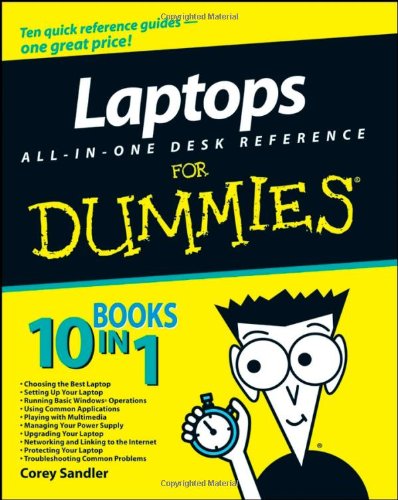
Laptops All in One Desk Reference For Dummies 1st Edition by Corey Sandler ISBN 0470140925 9780470140925


Original price was: $50.00.$35.00Current price is: $35.00.
Laptops All in One Desk Reference For Dummies 1st Edition by Corey Sandler – Ebook PDF Instant Download/Delivery: 0470140925, 9780470140925
Full download Laptops All in One Desk Reference For Dummies 1st Edition after payment
Product details:
ISBN 10: 0470140925
ISBN 13: 9780470140925
Author: Corey Sandler
- Builds on the huge success of Laptops For Dummies, now in its second edition
- Eight minibooks comprising nearly 850 pages give laptop owners the detailed information and advice they need to make the most of their computers
- Offers focused content for new and intermediate laptop users, covering laptop basics and beyond, from synchronizing information with a desktop PC and coordinating e-mail between two computers to accessing the Internet or a desktop computer remotely
- Minibooks include laptop basics, software for laptops, accessories to go, traveling with a laptop, security, networking a laptop, sources of power, and upgrading a laptop
- Sales of laptops continue to outpace sales of desktop PCs, with retail laptop sales up 24 percent in the 2006 holiday season
Table of contents:
Introduction.
Book I: Choosing the Best Laptop.
Chapter 1: Knowing What You Want, Getting What You Need.
Chapter 2: Touring a Modern Laptop.
Chapter 3: Microprocessors, Memory, and Operating Systems.
Chapter 4: Doing It Yourself versus Calling in the Cavalry.
Book II: Setting Up Your Laptop.
Chapter 1: Installing or Upgrading an Operating System.
Chapter 2: Painting Flames on the Operating System: Customizing.
Chapter 3: Transferring Settings, E-mail, and Documents.
Chapter 4: Managing Files, Folders, Extensions.
Book III: Running Basic Windows Operations.
Chapter 1: Opening Windows.
Chapter 2: Using Built-in Windows Applications and Gadgets.
Chapter 3: Windows Maintenance Utilities.
Chapter 4: Honk, Honk! Windows Backup and Restore Utilities.
Book IV: Using Common Applications.
Chapter 1: Writing Documents.
Chapter 2: Crunching Data with Spreadsheets.
Chapter 3: Presenting Yourself with PowerPoint Professionalism.
Chapter 4: Checking Your Calendar.
Book V: Playing with Multimedia.
Chapter 1: Walking Through Windows Media Playe.
Chapter 2: Feeling the Music, Seeing the Stream.
Chapter 3: Hamming It Up for the Webcam.
Chapter 4: Gaming with a Laptop.
Book VI: Managing Your Power Supply.
Chapter 1: Using Your Power for Good Purposes.
Chapter 2: Replacing or Upgrading Your Power Source.
Chapter 3: Power-Management Utilities.
Book VII: Upgrading Your Laptop.
Chapter 1: Adding RAM.
Chapter 2: Adding or Replacing a Drive: Internal, External, CD, or DVD.
Chapter 3: Changing Your Input and Output Options.
Chapter 4: Going External with Printer, Network, and Special Peripherals.
Book VIII: Networking and Linking to the Internet.
Chapter 1: Networking with Other Machines.
Chapter 2: Managing a Windows Network.
Chapter 3: Going Wireless.
Chapter 4: Spinning the Web.
Chapter 5: Exchanging E-mail, IMs, and Newsgroups.
Chapter 6: Communicating with VoIP.
Book IX: Protecting Your Laptop.
Chapter 1: Traveling with a Laptop.
Chapter 2: Guarding Against Intruders.
Book X: Troubleshooting Common Problems.
Chapter 1: Sweating the Hard(ware) Stuff.
Chapter 2: Knowing When Good Software Goes Bad.
Index.
People also search for:
laptops all in one desk reference for dummies
laptops all in one desktops and smartphones usually have
desktop reference system office depot
laptops on desk
laptops all-in-one desktops and smartphones usually have
understanding laptops for dummies
Tags: Corey Sandler, Laptops, All in One, Desk Reference, Dummies