

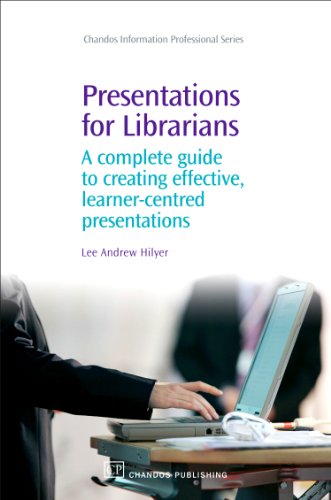
Presentations for Librarians A Complete Guide to Creating Effective Learner Centred Presentations 1st Edition by Lee Hilyer ISBN 1843343037 978-1843343035

Original price was: $50.00.$35.00Current price is: $35.00.
Presentations for Librarians A Complete Guide to Creating Effective Learner Centred Presentations 1st Edition by Lee Hilyer – Ebook PDF Instant Download/Delivery: 1843343037, 978-1843343035
Full download Presentations for Librarians A Complete Guide to Creating Effective Learner Centred Presentations 1st edition after payment
Product details:
ISBN 10: 1843343037
ISBN 13: 978-1843343035
Author: Lee Hilyer
Recent research on learning from multimedia presentations has indicated that the current way many people prepare their slide presentations may actually hinder learning. Considering the ubiquity of the PowerPoint presentation in business and in education, presenters should be concerned whether or not their audience members are effectively receiving the information they wish to impart. This issue is of special import for librarians who teach, as they often must convey complex information in a very limited amount of time. Combining the best evidence on multimedia learning with real-world practical guidelines, this book aims to provide novice and expert presenters alike with the tools they need to ensure an effective, learner-centred presentation.
Presentations for Librarians A Complete Guide to Creating Effective Learner Centred Presentations 1st Table of contents:
Part 1: Human Learning and Learning from Presentations
1 How people learn: human cognitive architecture and the learning process
Introduction
What is learning?
What is knowledge?
Our cognitive architecture
Schema construction
How is information processed?
Cognitive load theory
Summary
Notes
2 Learning from presentations: Part 1 – a bad experience
Introduction
Vignette
Analysis
Summary
3 Learning from presentations: Part 2 – a good experience
Introduction
Vignette
Analysis
Mayer’s cognitive theory of multimedia learning
Mayer’s multimedia design principles
What are the implications for presenters?
Summary
Part 2 Creating a Learner-Centred Presentation
4 Introduction to the presentation process model
Stage 1: Preparing for your presentation
Stage 2: Practise your presentation
Vignette
Stage 3: Present your presentation
Stage 4: Review your performance
Summary
5 Getting started
Getting organized
Logistical details
Assessing audience needs
Determining your goals
Conduct any necessary research
Summary
6 Writing your script and creating your storyboards
Writing your script
Storyboards
Summary
Note
Suggested further reading
7 Creating your slides
Slide layouts
Recommended sequence of slides
Using themes/slide designs
Using text in visuals
Using images
Diagrams and statistical displays
Summary
Suggested further reading
8 Creating effective handouts
Handout formats
Other sources for handouts
When to use handouts
Encouraging useful note-taking
Summary
Suggested further reading
9 Integrating your script, slides and handouts through practice and rehearsal
Vignette
Summary
10 Delivering a successful presentation
Before you leave the office …
Disaster planning
Delivering your presentation
Slide show controls
Managing questions
Concluding your presentation
Summary
Suggested further reading
11 Evaluation for improvement
Types of evaluation
Assessing learning
Summary
Appendices
Appendix A Using Microsoft PowerPoint 2007
Contents
Starting PowerPoint
Program layout
Inserting new slide objects
Saving your file
Adding and formatting text
Inserting images
Inserting clip art
Using the drawing toolbar
Using slide themes
Using the Notes pane
Adding slide transitions
Playing a slide show
Saving your presentation in ‘Show’ format
Suggested resources
Appendix B Using Apple Keynote Version 3
Contents
Starting Keynote 3
Program layout
Saving your file
Adding and formatting text
Inserting images
Using shapes
Using slide themes
Using the Notes pane
Adding slide transitions
Playing a slide show
Saving your presentation in ‘Show’ format
Suggested resources
Appendix C Using OpenOffice Impress Version 2.2
Contents
Starting Impress
Program layout
Inserting new slide objects
Saving your file
Adding and formatting text
Inserting images
Using the drawing toolbar
Using slide designs
Using the Notes View
Adding slide transitions
Running a slide show
Saving your presentation in ‘Show’ format
Suggested resources
People also search for Presentations for Librarians A Complete Guide to Creating Effective Learner Centred Presentations 1st :
librarian presentations
practical guides for librarians
presentation libraries
presentation book list
a practical guide for librarians
Tags: Lee Hilyer, A Complete, Creating Effective