

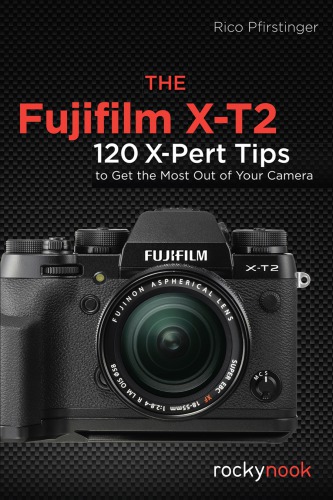
The Fujifilm X T2 1st edition by Rico Pfirstinger ISBN 1681982226 978-1681982229


Original price was: $50.00.$35.00Current price is: $35.00.
The Fujifilm X T2 1st edition by Rico Pfirstinger – Ebook PDF Instant Download/Delivery: 1681982226, 978-1681982229
Full download The Fujifilm X T2 1st edtion after payment
Product details:
ISBN 10: 1681982226
ISBN 13: 978-1681982229
Author: Rico Pfirstinger
In this book, popular Fuji Rumors “X-Pert Corner” columnist Rico Pfirstinger teaches about the little-known capabilities of the Fujifilm X-T2, which he’s discovered through months of in-depth research and experimentation with the camera.
After a brief overview of the camera’s basic functions, Rico cuts to the chase and provides a plethora of tips and practical instructions not found in the user’s manual. With this knowledge, you will be able to take full advantage of the capabilities of the X-T2.
The Fujifilm X-series cameras have amazing features but may require an adjustment period for those new to using these cameras, even photographers who have been lifetime shooters. This guide will help you to quickly feel comfortable using your camera so that you can achieve excellent results.
The Fujifilm X T2 1st Table of contents:
1. Your X-T2 System
1.1 The Basics (1): Things You Should Know About Your Camera
Tip 1: RTFM! Read The Fuji Manual! It is included with your camera.
Tip 2: Get a few spare batteries. You can buy suitable batteries from Fujifilm or from a third party.
Tip 3: Get a suitable battery charger and a travel adapter.
Tip 4: Make sure that your camera and lenses are running with the latest firmware.
Tip 5: Things to remember when updating your firmware
Tip 6: Use fast memory cards with at least 80 MB/s write speed.
Tip 7: Working with Dual Card Slots
Tip 8: Your camera is automatically numbering your images. With a little trick, you can reset the frame counter and even assign a new starting number.
Tip 9: Use Boost mode!
Tip 10: Keep the camera sensor clean!
Tip 11: Do-it-yourself sensor cleaning for tough sensor spots
1.2 The Basics (2): Things You Should Know About Your Lenses
Tip 12: X-mount compatible Samyang lenses are just like adapted lenses!
Tip 13: Zeiss Touit lenses
Tip 14: Decoding XF18–135mmF3.5–5.6 R LM OIS WR
Tip 15: The optical image stabilizer (OIS) has its quirks!
Tip 16: The XF23mmF1.4 R, XF16mmF1.4 R WR, and XF14mmF2.8 R are different beasts!
Tip 17: Use the Lens Modulation Optimizer (LMO)!
Tip 18: Things you should know about digital lens corrections:
Tip 19: Use the included lens hood!
Tip 20: Lens protection filters—yes or no?
Tip 21: 39mm filters can be tricky!
1.3 The Basics (3): Useful Accessories
Tip 22: Optional handgrips
Tip 23: Off-camera TTL flash with a Canon OC-E3 TTL extension cord
Tip 24: Issues regarding Canon TTL flash devices
Tip 25: Remote shutter release: three options for the X-T2
2. Using the Fujifilm X-T2
2.1 Ready, Set, Go!
Tip 26: Recommended settings for your X-T2
Tip 27: Avoiding the camera menus: practical shortcuts for your X-T2
Tip 28: Suggested Fn button assignment
Tip 29: Always shoot FINE+RAW!
Tip 30: Compressed or uncompressed RAW files?
Tip 31: Pick a suitable image format!
Tip 32: The magical half-press
2.2 Monitor and Viewfinder
Tip 33: Make use of the eye sensor!
Tip 34: Instant review
Tip 35: The DISP/BACK button can be tricky!
Tip 36: WYSIWYG—What You See Is What You Get!
Tip 37: Using the Natural Live View
2.3 Exposing Right
Tip 38: Choosing the right metering method
Tip 39: Linking spot metering to AF frames
Tip 40: Using the live view and live histogram
Tip 41: Auto exposure (AE) with modes P, A, and S
Tip 42: Using manual exposure M
Tip 43: Using aperture priority A
Tip 44: Using shutter priority S
Tip 45: Using program AE P and program shift
Tip 46: Playing it safe with auto exposure bracketing
Tip 47: Long exposures
Tip 48: Long exposures in bright daylight
Tip 49: ISO settings—what’s the deal?
Tip 50: What you should know about extended ISO
Tip 51: Auto-ISO and minimum shutter speed
Tip 52: Auto-ISO in manual mode M: the “misomatic”
Tip 53: ISO-Bracketing: it’s just a gimmick!
Tip 54: Extending the dynamic range
Tip 55: Extending the dynamic range for RAW shooters
Tip 56: JPEG settings for RAW shooters
Tip 57: Extending the dynamic range for JPEG shooters
Tip 58: Using the DR function for high-key and portrait photography
Tip 59: Creating HDR images with the X-T2
Tip 60: HDR: the handheld way
Tip 61: Using the electronic shutter
2.4 Focusing with the X-T2
Tip 62: CDAF and PDAF: what’s the difference?
Tip 63: AF-S or AF-C?
Tip 64: AF modes: Single Point AF vs. Zone AF vs. Wide/Tracking AF
Tip 65: Selecting an AF frame or AF zone
Tip 66: Choosing a suitable AF frame or AF zone size
Tip 67: Manual focus and DOF zone focusing
Tip 68: Manual focus assistants: focus peaking and digital split image
Tip 69: Focus check: use the magnifier tool!
Tip 70: One-Touch-AF (Instant AF)
Tip 71: Using AF+MF
Tip 72: Pre-AF: a relic of the past
Tip 73: Using face detection and eye-detection
Tip 74: Using AF-Lock
Tip 75: Using AF-ON (back-button focusing)
Tip 76: Focusing in poor light
Tip 77: Macro: focusing at close distances
Tip 78: Focusing on moving subjects (1): the “autofocus trick”
Tip 79: Focusing on moving subjects (2): the focus trap
Tip 80: Focusing on moving subjects (3): Autofocus tracking using Single Point AF, Zone AF, or Wide/Tracking AF
Tip 81: Using AF-C Custom settings
Tip 82: Focus priority vs. release priority
2.5 White Balance and JPEG Parameters
Tip 83: Custom white balance: a little effort can go a long way
Tip 84: Infrared photography
Tip 85: Changing color tints with WB SHIFT
Tip 86: Film simulations: it’s all about the look.
Tip 87: Using the GRAIN EFFECT
Tip 88: Contrast settings: working with highlights and shadows
Tip 89: Skin tones: smooth or with texture?
Tip 90: Color saturation
Tip 91: Choosing a color space: sRGB or Adobe RGB?
Tip 92: Using custom settings (usage profiles)
Tip 93: Working with the built-in RAW converter
Tip 94: Comparing RAW converters
Fujifilm film simulations
Extended dynamic range (DR200%, DR400%)
Digital lens corrections
Tip 95: Displaying EXIF metadata
2.6 Burst Mode, Movies, Motion Panorama, and the Self Timer
Tip 96: Using burst mode
Tip 97: Shooting motion panoramas
Tip 98: Shooting video with the X-T2
Tip 99: Using the self-timer
2.7 Flash Photography
Tip 100: Flash photography in modes P and A: slow shutter speed limits
Tip 101: Controlling the surrounding-light component of flash photography
Tip 102: Controlling the flash-light component
Tip 103: Rear curtain flash synchronization: what’s the deal?
Tip 104: Flash synchronization: where’s the limit?
Tip 105: Red-eye removal: a two-step affair
Tip 106: Using TTL-Lock
Tip 107: Little slave: the EF-X20
Tip 108: Big master: the EF-X500
Tip 109: Generic third-party flash units
2.8 Using Adapted Lenses
Tip 110: Finding the right lens adapter
Tip 111: Adapting third-party lenses: here’s how . . .
Tip 112: Exposing with adapted lenses
Tip 113: Focusing with adapted lenses
Tip 114: Using the Fujifilm M-mount adapter
Tip 115: Quality considerations
Tip 116: Speed Booster: miracle or trick?
2.9 Wireless Remote Control and Tethering
Tip 117: Using the Camera Remote App
Tip 118: Streaming the live view via HDMI
Tip 119: Tethered shooting via USB
2.10 Anything Else?
Tip 120: Forums, blogs, and workshops: be a part of it!
People also search for The Fujifilm X T2 1st:
does the fujifilm x t2 have ibis
when did the fujifilm x t2 come out
is the fujifilm x t2 weather sealed
fujifilm x t2 autofocus
fujifilm x t2 accessories